
How to Save Progress in Off The Road (OTR) – Easy Guide
If you enjoy playing Off The Road (OTR), you likely want to avoid losing your progress after investing hours in completing missions, unlocking vehicles, or earning coins. That’s why it’s essential to know how to save your progress in Off The Road.
In this straightforward guide, we will explain step by step how to save how to save progress in Off The Road, to ensure you don’t lose any of your progress, whether you’re playing the standard version or a MOD APK version of OTR.
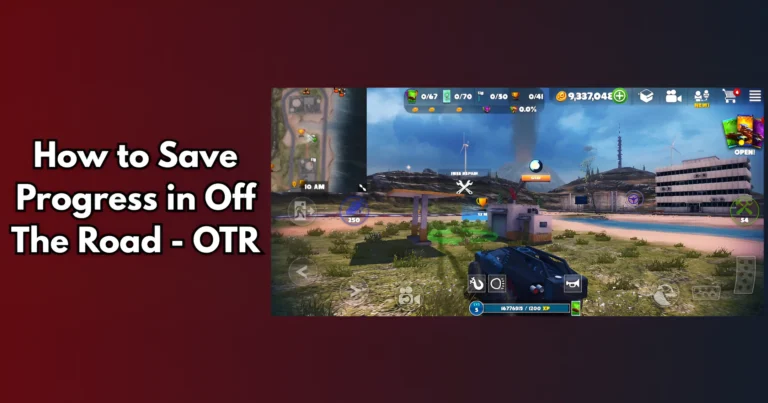
Why Is Saving Progress Important In Gameplay?
In Off The Road, you do a lot of things like:
- Complete missions (transport, time trials, etc.)
- Unlock and upgrade vehicles
- Earn coins and XP
- Explore new maps and areas
If your game doesn’t save properly, you may lose all of this. So let’s look at how to save progress in Off The Road – OTR .
Method 1: Save with Google Play or Game Center (Cloud Save)
The easiest way to save your progress is by linking the game to your Google Play account (for Android) or Game Center (for iOS).
How to save game progress:
1. Open *Off The Road* on your phone.
2. Tap the Settings icon (the gear icon).
3. Select “Connect to Google Play” (for Android) or “Connect to Game Center” (for iOS).
4. Sign in with your account.
5 Once connected, your progress will be saved to the cloud.
Important : Make sure you’re connected to the internet while doing this.
Method 2: Manual Save in the Game (For Off the road MOD APK or Offline)
If you are using a MOD APK or you are playing offline, you can save manually.
Steps to save game progress manually:
1. After completing a mission or earning coins, press the pause button.
2. Go to Settings.
3. Tap “Save and Exit” (or a similar option same like this )
4. Wait a few seconds before closing the game.
Important: Don’t close the app from recent apps or use a task killer, as this may prevent your progress from saving.
Method 3: Backup Game Files (Advanced – Android only)
This method is for users of MOD APKs or those who want to keep a backup of their progress.
Follow these steps:
1. To back up your game progress, follow these steps
2. Download a file manager app, such as ZArchiver.
3. Navigate to the following folder on your phone: Android > data > com.dogbytegames.offtheroad > files.
4. Copy the entire folder and paste it in a safe place (like your SD card or Google Drive).
5. When you reinstall the game later, you can paste this folder back to restore your progress.
Important : Always backup before installing a new update or mod.
How to Check If Your Progress Is Saved
To ensure your progress is secure, follow these steps:
- Close the game and open it again. See if your coins, vehicles, and missions are still there.
- If you used cloud save, try logging into the game on another phone. Your data should be there.
- If you used backup files, paste them into the game folder and check your game.
What About Off The Road MOD APK Progress?
If you’re using a MOD version of OTR with VIP unlocked or unlimited coins:
- Your data may not be saved automatically.
- Always use manual saves or backup files.
- Don’t uninstall the game without saving your backup first.
Tips to Save Progress Better
- Always save your game before you close it.
- Keep regular backups, especially on MOD versions.
- Update your cloud or local save often.
- Use Wi-Fi to sync your progress if using cloud save.
- Avoid using phone cleaners that may delete game data.
Conclusion
Now you know how to save your progress in Off The Road, whether you’re using the official app or a MOD APK. Saving your progress ensures that all your missions, coins, and unlocked vehicles are securely stored, allowing you to enjoy the game without starting over.
Choose the method that suits you best: use cloud save for online users or backup files for offline/MOD users. With these options, you can play without worrying about losing your progress again!